Windows 10 end of support

mathepac

Registered User
Messages
9,535
Microsoft will end support for Windows 10 on October 14, 2025. It doesn't mean Windows 10 will stop working on that date, but Microsoft won't be releasing any updates.

If you use applications that depend on Windows 10, you should prepare for your move to Windows 11 to keep your apps running without disruption.

Plus consider that the older versions of your key applications may not work properly on Windows 11. You could see performance drops or stability issues. Updating your apps to the latest Windows 11 compatible version as part of your Windows update will help your apps remain ready for work.
 
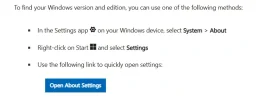
For those who don't know how to check.

Settings
System
Scroll down to the end where you will see About

1757933571606.webp

Well at least that is how it works on Windows 11. If it's different for Windows 10, could someone on Windows 10 please post the steps.
 
microsoft has a pc health check program on its site. upgrade page i think it was
turns out my laptop processor is not now supported ,considering going a linux flavor, we will see
 
Microsoft has confirmed it will extend Windows 10 security updates by an additional year at no cost, but only for customers in the European Economic Area (EEA).

The move means users across the EEA will be able to access the Extended Security Updates (ESU) programme until 14th October 2026, without the previously required conditions such as cloud backup or Microsoft Rewards enrolment. However, they will still need to register with a Microsoft account and re-authenticate every 60 days.
I haven't yet been able to establish that this is actually true.
 
Last edited:
Although my daily driver OS is Linux I dual boot it with Windows 10 and also run W10 in a VM.

I've been looking in to Windows 11 vs Windows 10. There are legitimate ways of tailoring the Win 11 installation to greatly reduce the privacy concerns and intrusive marketing elements.

We are using it at work now and there's almost no difference compared to Win 10. If anything it has one or two handy features like tabs on the file explorer window and the snipping tool is a bit handier as well !

I suppose you might need some IT savvy to make a very lean W11 install but just saying your life doesn't have to be worse by switching to W11 and you're guaranteed all the latest security updates.
 
Something like this might help you?
However I haven't used it myself. Or Windows 11.
but just saying your life doesn't have to be worse by switching to W11 and you're guaranteed all the latest security updates.
But a key point for many people is that you can't use Windows 11 (at all, or at least not without messy hacking) on otherwise perfectly serviceable hardware that doesn't meet the Windows 11 hardware requirements (e.g. no TPM 2.0). So, for many people who don't want or can't afford to buy a new computer, Windows 11 simply isn't an option.
 
So, for many people who don't want or can't afford to buy a new computer, Windows 11 simply isn't an option.
What about a suggested migration path from Windows 10 to some flavour of Linux that supports compatible / comparable applications, or is that a separate thread and perhaps beyond the technical capabilities of most Win10 home/hobby users?

Maybe using Linux Mint, for example

or

Ubuntu-based Rhino Linux

or [EDIT]

Zorin OS, thanks @clubman, I'd forgotten that sweet one

or there's a 2 year-old discussion on Reddit (I don't have access)
 
Last edited:
That's obviously an option and maybe one that some people will consider over the next year if they want to continue using their Windows 11 incompatible hardware. But it's covered thoroughly on many other sites and hardly needs to be covered again here on Askaboutmoney in my opinion? Zorin OS and Linux Mint (both Ubuntu derivatives) would be my own suggestions for consideration by anyone without much/any GNU/Linux experience who is considering moving off Windows 10 to GNU/Linux. (Both technically "Irish" distributions as it happens - not that it really matters :) ). But there are many, many others and many, many existing guides for users elsewhere.

 
So maybe a moderated list of alternatives that'll run on more modest hardware than Windows 11 seems to require?
 
So maybe a moderated list of alternatives that'll run on more modest hardware than Windows 11 seems to require?
In my opinion this is already better/more thoroughly dealt with on existing tech sites that it doesn't need regurgitation or duplication here on Askaboutmoney. But obviously people are free to post what they want within the posting guidelines.
 
list of alternatives that'll run on more modest hardware than Windows 11

Just to be clear its not that Windows 11 won't run on modest hardware. Its just artificially blocked.

That's an almost a unlimited list of software. Maybe just what people here use. There's not many of us. So it will be short list.

People might want to look at how old is the hardware they are trying to preserve.
 
Just to be clear its not that Windows 11 won't run on modest hardware. Its just artificially blocked.
Well the Windows 11 requirement for TPM 2.0 (without resorting to hacks to circumvent this) isn't exactly an artificial blockage. It's by design.
People might want to look at how old is the hardware they are trying to preserve.
Plenty of older hardware is perfectly adequate for many people's needs and it's wasteful to buy newer hardware just for the sake of it or because a company tries to force users into unnecessary upgrades.
 
If Windows 11 runs without the TPM, then it doesn't need it. They could have made it optional but they didn't. The design of Win11 doesn't need a TPM. Some optional security features require it.

If you are running Win10 without those features and a TPM it's the same difference as running Win11 without those features. Or Linux without those features.

If would suggest it will cause more security issues by blocking millions people from security patches in Win10 then turning off TPM in Win11 If security is really the concern here.

Considering they have less bitlocker features in the home version vs the pro. I'm not seeing Microsoft sole concern here being users security.

How much security people are willing to sacrifice to save €100 to keep that old hard ware is a personal choice. I wonder how many here have their data backed up and encrypted. How about Windows Hello turned on. What about secure boot.

For me the minimum is a system that still gets security patches.

Everyone is going to have their own opinion on it.
 
Last edited:
Consumers in the European Economic Area can enroll in ESU through one of the following ways after signing in with a https://account.microsoft.com/ (Microsoft account):
  • Users who stay signed in to the eligible PC with a Microsoft account
    • Microsoft account used to sign in to the ESU enrollment tool, will enable Extended Security Updates on the device through 13 October, 2026, as long as you continue signing in to Windows with your Microsoft account used to enroll.
    • If you do not continue to sign in to your PC with your Microsoft account, ESU updates will be discontinued for your device after a period of time, up to 60 days.
    • If ESU updates have been discontinued for failing to sign-in with your Microsoft account, you will need to re-enroll to resume updates.
  • Users with a local account who do not want to stay signed in to the eligible PC with a Microsoft account
    • One-time purchase of $30 USD or local currency equivalent plus applicable tax.
    • Allows continued use of a local account (no sign in with a Microsoft account required other than to make the purchase).
    • Will enable Extended Security Updates on the device through 13 October, 2026.
 
For those who don't know how to check.
I spoke with my sister and brother-in-law over the week-end and discovered to my astonishment that neither of them knows what OS or versions there-of their lap-tops run. And even checking was a complex chore. A retired banker, a retired accountant ex-Revenue, typical of their ages I suppose where work supplied the tech all their lives and they only needed to get involved in tech upkeep since retirement.

Would that be the picture across country I wonder with home users? They're running whatever was installed in the box the day they bought it in Harvey Norman, Argos, or ElectroCity and that's the way they expect it to stay. The brother and I have connected printers for them from time-to-time, accepting that drivers and so on were a step too far.
 
I am fairly tech savvy and always shocked at how little people understand computers or technology and how little they care. We slap ourselves on the back about the modern world of technology we live in but most people have no interest in understanding anything about it only the bare minimum needed so it benefits them in some way.

It's frustrating but I have to remind myself there are many things that are important to technologically clueless people that they are knowledgeable about and I am clueless about and care about even less.
 
Back
Top